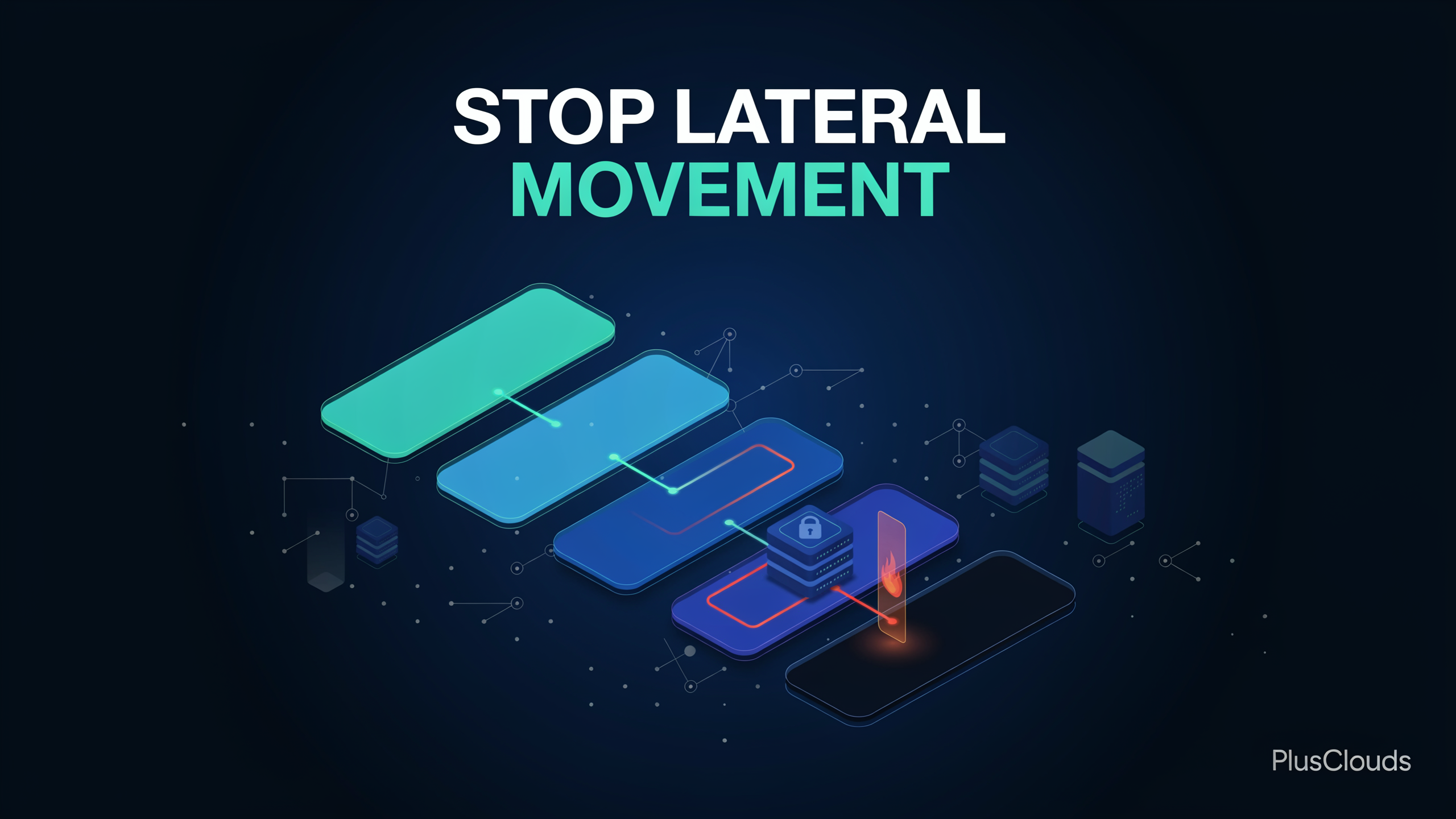
The alert fires at 3:12 AM. A single virtual machine in your staging environment is phoning home to an unfamiliar IP. By itself, that box holds nothing valuable. But by 4:30 AM, the same attacker has harvested credentials from its environment variables, scanned your private subnet, and landed on the database server that stores every customer record you own. Nothing in your perimeter firewall ever blinked, because the attacker never came from outside. They came from inside.
This is lateral movement, and it is the defining cloud security problem of 2026. The average attacker breakout time, the window between initial compromise and the first move to another host, has dropped to under 62 minutes. Your incident response process was probably not designed to operate on that timeline. Your network architecture might not be either.
Key takeaways
- Lateral movement happens entirely on east-west traffic inside your network, so perimeter firewalls and internet-facing WAFs cannot see any of it.
- The average breakout time is under 62 minutes, so segmentation, not detection alone, is what buys your incident response team time.
- A five-zone architecture (public, DMZ, private application, data, management) with deny-by-default stateful firewall rules stops most kill chains at the first hop.
- WAFs matter internally too: admin panels, metrics endpoints, and internal APIs speak HTTP, and attackers probe them at layer 7.
- The same architecture produces compliance evidence for NIS2, ISO 27001, and GDPR.
This article walks through the full lateral movement kill chain, shows why flat cloud networks make it trivially easy, and gives you a concrete five-zone architecture with firewall rules, WAF policies, and DDoS controls that stop attackers before they reach the systems that actually matter.
Table of Contents
- How the Lateral Movement Kill Chain Works: From Initial Compromise to Crown-Jewel Access
- Why Flat Cloud Networks Are an Attacker's Best Friend (And How Most Teams Still Run Them)
- The Five-Zone Cloud Architecture: Public, Private, VPN, Management, and DMZ, What Goes Where and Why
- Stateful Firewall Rules That Block East-West Traffic Without Breaking Your Application
- WAF Configuration That Stops L7 Lateral Probing: OWASP Top 10 Rules You Must Have Active
- Integrating DDoS Mitigation Into the Segmentation Model: Stopping Volume Attacks at the Perimeter
- Step-by-Step: Deploying a Kill-Chain-Resistant Zone Architecture From One Control Plane
- Testing Your Segmentation: How to Run a Tabletop Lateral Movement Drill Without a Red Team
- Compliance Alignment: How This Architecture Satisfies NIS2, ISO 27001, and GDPR Evidence Requirements
How the Lateral Movement Kill Chain Works: From Initial Compromise to Crown-Jewel Access
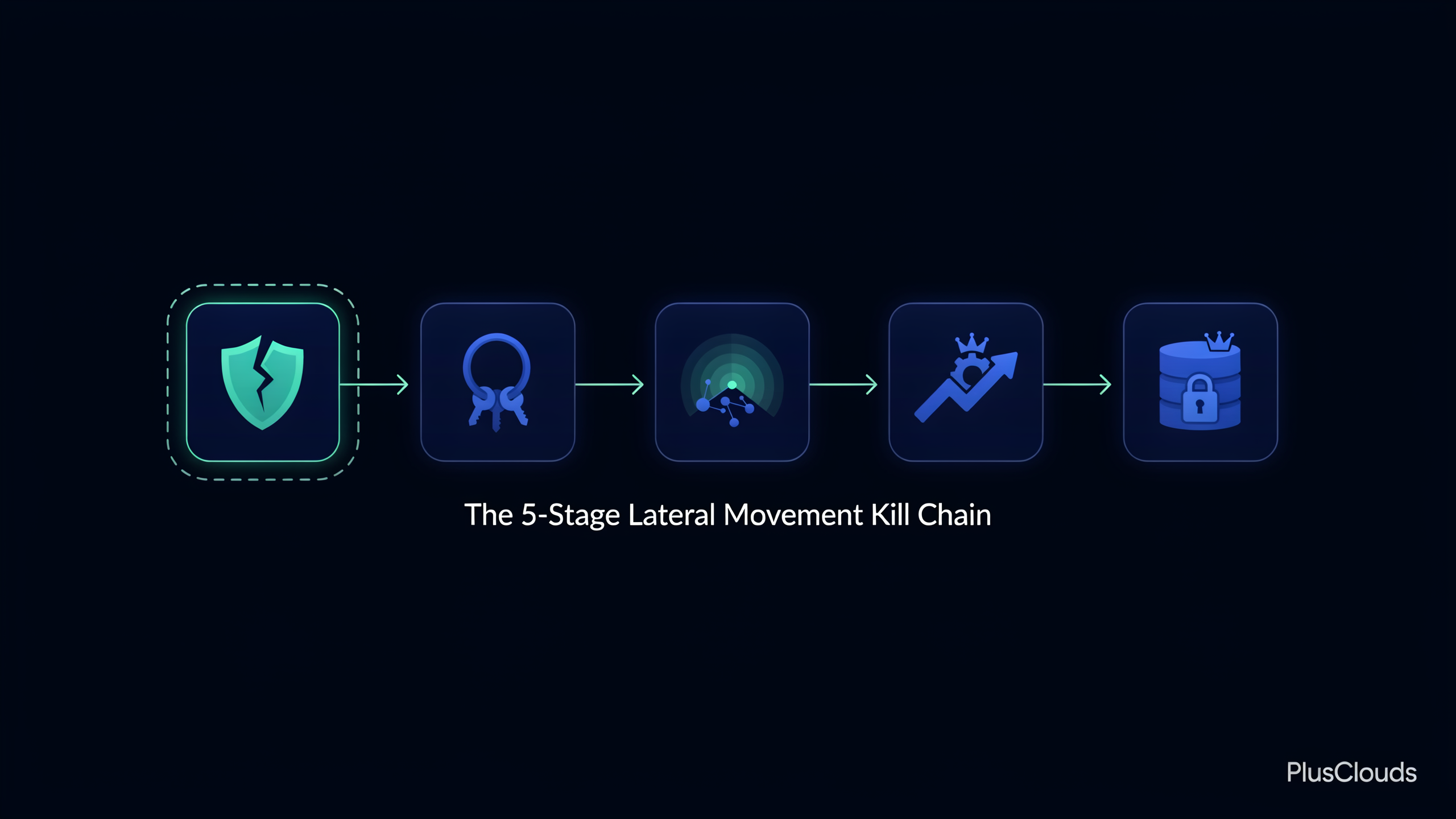
Attackers do not target your database directly. They target the easiest door, then walk to the vault. The kill chain looks like this in practice:
- Initial compromise. A vulnerable web endpoint, a leaked API key, a phishing click on a developer laptop. One foothold, somewhere, anywhere.
- Credential harvesting. The attacker dumps environment variables, cloud metadata endpoints, SSH keys, and browser sessions from the compromised host. Cloud workloads are credential-dense by nature.
- Internal reconnaissance. Using the stolen credentials, the attacker scans east-west traffic paths: private subnets, service ports, unauthenticated internal APIs. Flat networks make this step take minutes instead of days.
- Privilege escalation and persistence. New accounts, modified IAM roles, cron jobs, container images with backdoors.
- Crown-jewel access. The database, the object storage bucket with customer PII, the payment processing pipeline. Exfiltration or encryption follows.
Notice what this chain implies: every stage after the first one happens entirely inside your network. Perimeter defenses, the firewalls and WAFs facing the internet, cannot see any of it. The 62-minute breakout figure exists because steps 2 through 4 are fast when nothing slows them down. Segmentation is what slows them down.
Why Flat Cloud Networks Are an Attacker's Best Friend (And How Most Teams Still Run Them)
Here is the problem: most SMB and mid-market cloud deployments look identical from the attacker's perspective. Every VM sits on one subnet. Every VM can reach every other VM on every port. Security groups exist but default to permissive rules added during a 2 AM incident and never cleaned up.
We have seen the pattern repeatedly: a staging environment sharing a network with production, a management interface reachable from the application subnet, and a database with no firewall rules at all because "it's on the private network, it's fine." That last assumption is exactly what the kill chain exploits. Once the attacker owns any host on the flat network, they own the network.
Flat networks also defeat your detection. When east-west traffic is unrestricted, malicious scanning looks identical to legitimate traffic. When you segment and log inter-zone traffic, every unexpected connection becomes a signal. A request from the DMZ to the database subnet is either your application working correctly or an attacker in step 3 of the kill chain. Either way, you want to know about it.
If you have not yet mapped your zones at all, start with our guide to cloud network segmentation across public, private, VPN, DMZ, and management zones, then come back to this article for the enforcement layer.
The Five-Zone Cloud Architecture: Public, Private, VPN, Management, and DMZ, What Goes Where and Why
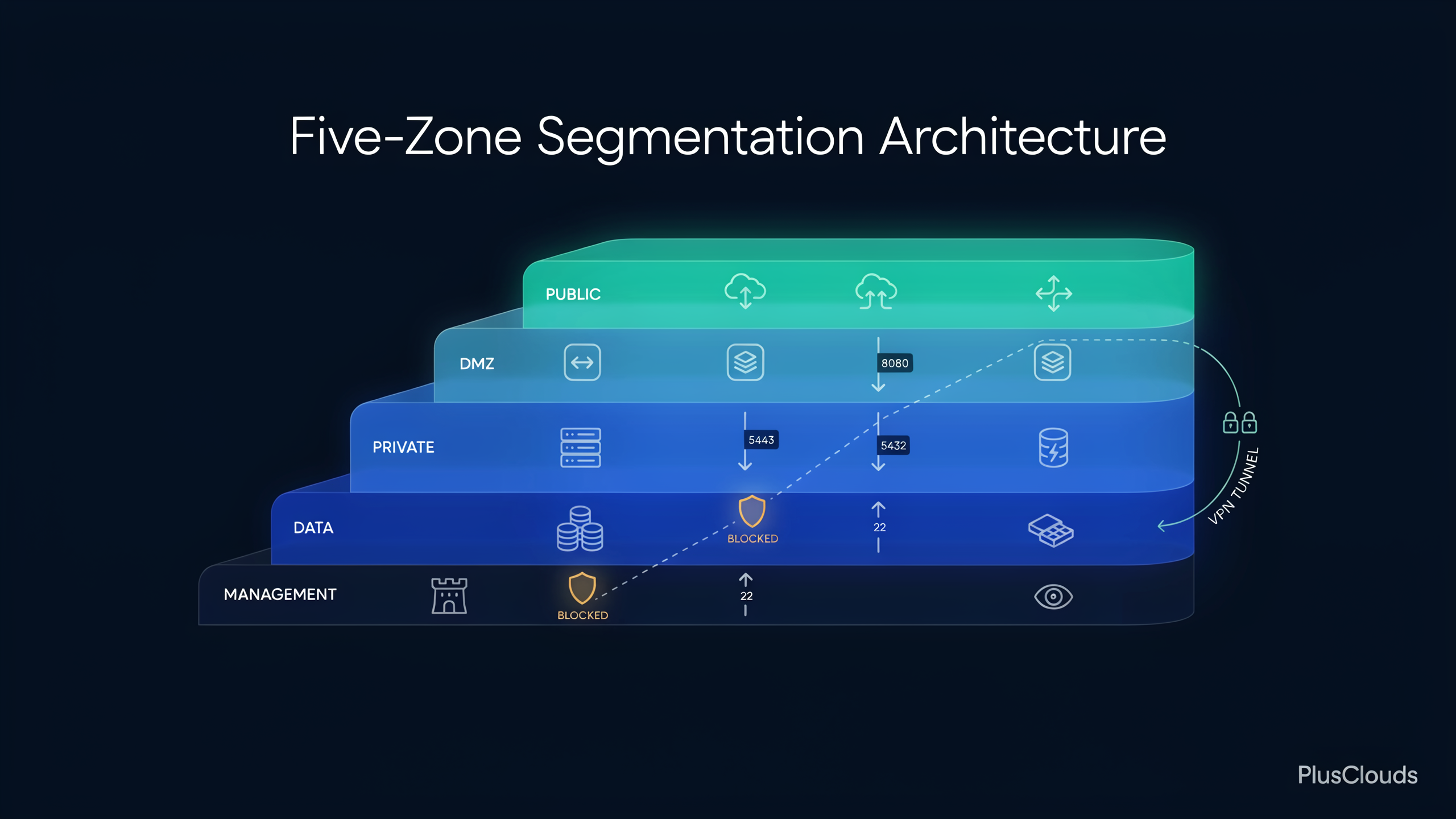
Segmentation works when zones map to trust boundaries, not to org-chart accidents. The five-zone model gives you a starting point that covers nearly every SMB and mid-market workload:
| Zone | What Lives There | Inbound Policy |
|---|---|---|
| Public | Load balancers, CDNs, anything internet-facing | Only ports 80/443, from anywhere |
| DMZ | Reverse proxies, API gateways, mail relays | From public zone only, on defined service ports |
| Private (application) | Application servers, workers, caches | From DMZ and private zone only, on defined ports |
| Data (database, storage) | Databases, message queues, storage clusters | From private zone only, on database ports |
| Management | Bastion hosts, CI/CD runners, monitoring, backups | From VPN zone only |
Three rules make this architecture hold up under pressure:
- No zone ever talks to a zone two hops away. The DMZ never touches the data zone. If your application needs a database connection, the application server in the private zone makes it, not the proxy.
- The management zone is reachable only through VPN. No exceptions for "temporary" SSH access from the office. Temporary becomes permanent by the second sprint.
- Every inter-zone rule is deny-by-default. You write allow rules for traffic you can name. Everything else drops, and the drops get logged.
This is the zone-level foundation. Microsegmentation, applying deny-by-default policy between individual workloads within a zone, is the practical realization of zero trust as NIST defines it in SP 800-207. Start with zones; refine with microsegments later. A five-zone model implemented on a Monday beats a perfect service-graph policy that never ships.
Stateful Firewall Rules That Block East-West Traffic Without Breaking Your Application
The fear that stops most teams from segmenting is breakage: "If I lock this down, production falls over at midnight." That fear is valid, and it dissolves with a methodical approach.
Stateful firewalls, which track connection state and only allow traffic matching an established or explicitly permitted flow, are the right enforcement point for east-west traffic control. Here is the sequence that works:
- Log first, enforce later. Run your firewall in log-only mode for one to two weeks. Collect every actual flow between zones.
- Build the allow list from observed traffic. Your application's real communication pattern is almost always smaller than the rule set currently permitting it. A typical three-tier app needs: DMZ to private on 8080/443, private to data on 3306 or 5432, everything else denied.
- Enforce with explicit denies and logging. Turn on enforcement with drop logging enabled. Every dropped packet between zones is now telemetry.
- Alert on drops that matter. A drop from DMZ to data zone is not noise. It is either a misconfiguration or step 3 of a kill chain. Page on it.
A minimal rule set for the private zone looks conceptually like this:
# Private zone inbound
ALLOW tcp 5432 FROM data-zone-clients (app servers only)
ALLOW tcp 8443 FROM dmz-proxy-tier
DENY  ALL   LOG  (everything else)

# Private zone outbound
ALLOW tcp 5432 TO data-zone
ALLOW tcp 443  TO approved-egress-proxies
DENY  ALL   LOG
That last outbound deny matters more than most teams realize. It kills credential-harvesting callbacks and data exfiltration paths in one rule. If you want the full rule-writing methodology, our zero trust layering guide for firewall, WAF, and network segmentation covers the policy design in depth.
WAF Configuration That Stops L7 Lateral Probing: OWASP Top 10 Rules You Must Have Active
Firewalls work at layers 3 and 4. Attackers adapt by moving their probing to layer 7, where a WAF (Web Application Firewall) is the control that sees it. This matters for lateral movement prevention more than most teams appreciate: internal services increasingly speak HTTP. Admin panels, metrics endpoints, internal APIs, and management consoles all listen on web ports inside your "trusted" zones. An attacker who reaches one compromised host will probe those services by name and path.
Your WAF baseline should include, at minimum:
- OWASP Top 10 rule coverage active in blocking mode, not detection mode. Detection-only WAFs generate reports nobody reads.
- SQL injection and XSS rules on every internet-facing and DMZ-tier endpoint, since those are the initial-compromise vectors that start the whole chain.
- Path and method restrictions on internal-facing endpoints. Your Prometheus metrics endpoint does not need to accept POST requests from the DMZ.
- Rate limiting per source to blunt automated internal scanning, which fires requests fast enough to look like a burst even on a private network.
- Virtual patching for known CVEs in frameworks you have not patched yet, buying you time between disclosure and deployment.
The WAF also gives you evidence. When an internal endpoint receives a request for /actuator/env or /.env from a host that has no business asking, your WAF log documents the reconnaissance attempt. That is both an alert and, as we will cover later, compliance evidence.
Integrating DDoS Mitigation Into the Segmentation Model: Stopping Volume Attacks at the Perimeter
Segmentation stops lateral movement. It does nothing against a 400 Gbps flood aimed at your front door. You need both, and they need to work as one cloud security architecture.
The integration point is simple: volumetric attacks get absorbed at the perimeter by always-on mitigation with multi-gigabit to terabit capacity, so that the traffic reaching your public zone is clean. Application-layer attacks, which look like legitimate HTTPS requests, get filtered by the WAF before they hit your DMZ. Only then does your segmentation decide what reaches the private and data zones. Each layer handles the attack class it is built for, and no attacker traffic ever gets a foothold that starts the kill chain.
Two details deserve attention. First, always-on mitigation beats on-demand scrubbing: attacks now ramp to full volume in minutes, faster than most on-demand activation flows. Second, sub-gigabit burst attacks are a real and growing pattern, small enough to slip under threshold-based detection while still exhausting connection tables on undersized infrastructure. Our coverage of sub-gigabit DDoS burst attacks explains why small floods often hurt more than large ones.
Step-by-Step: Deploying a Kill-Chain-Resistant Zone Architecture From One Control Plane
Architecture diagrams are cheap. Deployment is where segmentation projects die. Here is a sequence that ships in weeks, not quarters:
- Inventory and classify. List every workload, its data sensitivity, and its actual communication partners. You cannot zone what you have not enumerated.
- Create the five network zones. Provision public, private, VPN, management, and DMZ networks from your cloud control plane. With PlusClouds Networking & Load Balancers, all five network types plus load balancers deploy from a single control plane, so you are not hand-wiring VLANs across hypervisors.
- Move workloads in priority order. Start with the data zone: databases first, because they are the crown jewels and usually the least chatty workloads. Then management, then DMZ, then the rest.
- Apply stateful firewall rules per the log-first method described above.
- Attach the WAF to every HTTP entry point, internet-facing and internal.
- Verify DDoS mitigation is active at the perimeter, not configured as a break-glass option.
- Document the matrix. One table: source zone, destination zone, port, justification. This becomes your security baseline and your audit evidence.
Teams running on PlusClouds Cloud Servers can spin the VMs for each zone on AMD EPYC hardware with NVMe storage in about a minute each, which makes the rebuild-and-migrate loop of step 3 genuinely fast rather than a quarterly event.
Testing Your Segmentation: How to Run a Tabletop Lateral Movement Drill Without a Red Team
You do not need a contracted red team to validate your architecture. You need two hours and a degree of honesty. Run this drill quarterly:
- Pick your worst-case initial compromise. A developer laptop, a staging VM, a forgotten test API. Write it on a whiteboard.
- Walk the kill chain on paper. From that foothold, what credentials are reachable? What hosts can that credential set touch? Which zones does the path cross?
- Check every hop against your firewall logs. For each step of the walk, ask: would this connection have been allowed? Would it have been logged? Would anyone have been paged?
- Identify the first control that stops the chain. If the answer is "nothing until the data exfiltration step," you have found your gap. Fix it, then re-run the drill.
- Time-box the breakout. Given the 62-minute average breakout window, your detection and paging should fire well inside that. If your first meaningful alert lands at hour three, the segmentation is working but the monitoring is not.
Document each drill: date, scenario, findings, fixes, re-test date. That document, as the next section explains, is worth more than you think.
Compliance Alignment: How This Architecture Satisfies NIS2, ISO 27001, and GDPR Evidence Requirements
The five-zone architecture is not just an engineering decision. It maps directly onto what auditors and regulators now ask for.
- NIS2 expects network security and segmentation as baseline measures, plus incident detection capability. Your inter-zone deny logs and WAF alerts are exactly the technical evidence of both. Our NIS2 and DORA cloud infrastructure checklist breaks down the full control set.
- ISO 27001 requires documented access control and network segregation under its Annex A controls. Your zone matrix from step 7 of the deployment sequence is that documentation, produced as a byproduct of doing the work correctly.
- GDPR expects appropriate technical measures proportionate to data risk. Segmentation that keeps personal data in a zone reachable only from the application tier is a defensible, demonstrable measure, and the firewall logs prove it operates continuously.
One architecture, three frameworks satisfied by the same evidence. If you operate in the EU and juggle multiple regimes, our guide to unifying GDPR, NIS2, and DORA on one cloud infrastructure shows how to consolidate the compliance work itself.
For a broader gap assessment against these controls, pair this architecture with the cloud security audit checklist and run both annually.
The kill chain is not going away. Breakout times are measured in minutes, attackers start from the softest endpoint you own, and every hop after the first happens where your perimeter cannot see. Zones, stateful east-west rules, a WAF in blocking mode, and always-on DDoS mitigation turn that 62-minute walk into a dead end at the first hop.
You can assemble this stack piece by piece, or deploy it as one integrated layer. PlusClouds Cloud Security bundles the stateful firewall, WAF with OWASP Top 10 coverage, and always-on 1 Tbps+ DDoS mitigation under ISO 27001, SOC 2, and GDPR-aligned controls, on infrastructure designed for the five-zone model from day one. If your next tabletop drill reveals a flat network, that is the logical next step.