You opened your cloud bill expecting last month's number plus a little growth. What you got was a networking line item that grew faster than your actual usage, and nobody on the team can explain where it came from. Sound familiar?
You are not imagining it. Egress, the fee charged when data leaves your cloud provider's network, has quietly become one of the fastest-growing components of enterprise cloud spending in 2026. For a mid-market SaaS company moving 50 TB per month out of a hyperscaler like AWS, Google Cloud, or Azure, that line item alone can hit $54,000 a year. That is salary budget, hardware budget, or runway, burned on the simple act of moving your own data.
Key takeaways:
- Cloud egress and related networking charges now function as a hidden tax of roughly 18% on the average cloud bill, and it is the fastest-growing line item for data-heavy workloads.
- Four traffic categories drive the cost: internet-out egress, cross-AZ traffic, cross-region replication, and NAT Gateway processing. Three of the four have nothing to do with your users.
- Architectural fixes (co-location, VPC endpoints, load balancer placement, compression) cut internal multipliers but never eliminate internet egress.
- Zero-egress cloud providers price bandwidth as included infrastructure. For a workload moving 50 TB per month, that is roughly $54,000 a year back in your budget.
This guide walks you through a systematic process: how to audit your traffic flows to find exactly where egress is leaking, which architectural fixes reduce it, why switching to zero-egress infrastructure is the only structural fix, and how to migrate egress-heavy workloads without downtime.
Table of Contents
- What Cloud Egress Really Is, and Why It Now Works Like an 18% Hidden Tax on Your Bill
- The Four Egress Multipliers Silently Inflating Your Invoice
- Step 1: How to Audit Your Current Traffic Flows and Find the Leak
- Step 2: Architectural Fixes That Cut Egress Before You Move Anything
- Step 3: Why Zero-Egress Infrastructure Is the Structural Fix FinOps Tools Can't Deliver
- The Business Case: What Moving to a Zero-Egress Provider Actually Saves
- How PlusClouds' Five Network Types and Zero Egress Fees Change the Math
- Migration Checklist: Moving Egress-Heavy Workloads Without Downtime
- The Bottom Line
- Frequently Asked Questions
What Cloud Egress Really Is, and Why It Now Works Like an 18% Hidden Tax on Your Bill
Cloud egress is the data that leaves your provider's network, whether that is an API response heading to a customer, a backup pulled to your office, or a database dump copied to another region. Ingress (data coming in) is almost always free. Egress is priced per gigabyte, and those per-gigabyte rates have barely moved in a decade even as compute prices fell.
The result is a distorted economics model. Analysis of 2026 cloud pricing shows egress and related networking charges now function as a hidden tax of roughly 18% on the average cloud bill, and it is the line item growing fastest for data-heavy workloads (https://www.azion.com/en/blog/cloud-egress-costs-2026-why-the-math-stopped-working/).
Here is the part that stings: this tax is invisible in your architecture diagrams. Your CPU, memory, and storage costs scale with what you deploy. Egress scales with what your users and services do, which means it compounds silently as your product grows. A successful quarter can literally punish you on the invoice.
Quick math to anchor the pain:
- AWS charges roughly $0.09 per GB for internet-bound egress from us-east-1 (tiered, but that is the base rate).
- 50 TB/month × $0.09 = about $4,500/month, or $54,000/year.
- The same 50 TB on a zero-egress provider: $0.
That is not a rounding error. That is a line item worth an engineering sprint to eliminate.
The Four Egress Multipliers Silently Inflating Your Invoice
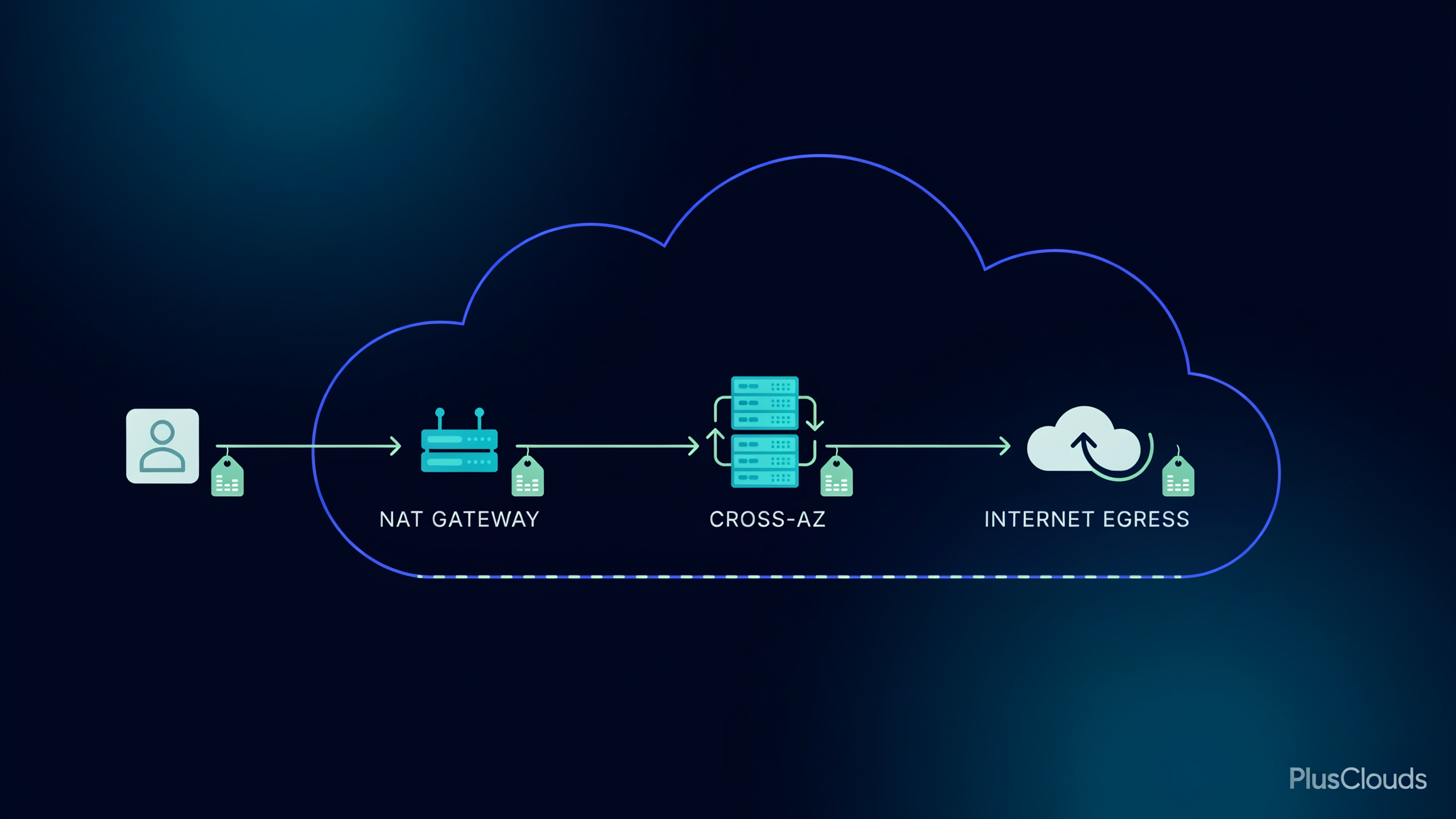
Most engineers think "egress" means one thing: data going out to the internet. In reality, there are four distinct traffic categories on a typical hyperscaler bill, and three of them have nothing to do with your users.
1. Cross-Availability-Zone traffic. Every byte transferred between availability zones inside the same region is billed on both sides, typically around $0.01 per GB in each direction. A chatty microservices architecture spread across AZs, or a database replica in a second AZ, generates this constantly. It never appears on a user-facing dashboard.
2. Cross-region traffic. Moving data between regions costs $0.02 per GB and up. Disaster recovery replication, global database reads, and multi-region analytics pipelines are the usual suspects. A nightly 200 GB replication job between regions costs roughly $3,600 a year by itself.
3. NAT Gateway processing. This one surprises almost everyone. NAT Gateway charges per GB processed in addition to an hourly fee, and it applies to traffic in both directions. A recent teardown of cloud networking hidden costs found NAT Gateway charges frequently rivaling or exceeding the egress they enable (https://firstpasslab.com/blog/2026-03-08-cloud-networking-hidden-costs-egress-ipv4-nat-gateway/). If your private subnets reach the internet through NAT for software updates, API calls, or S3 access, you are paying twice.
4. Internet-out egress. The one everyone knows. CDN misses, direct API traffic, large file downloads, and video streaming all land here.
The reason these four add up to more than teams expect is multiplication: a single user request can traverse a NAT gateway, cross an AZ twice between services, and exit to the internet, generating billable bytes at three separate layers for one page load.
Step 1: How to Audit Your Current Traffic Flows and Find the Leak
You cannot fix what you cannot see. Before touching architecture, spend a week building an accurate picture of where your billable bytes actually flow.
Pull VPC flow logs and group by destination. Enable flow logs if they are not already on, then aggregate traffic by destination category: same-subnet, cross-AZ, cross-region, NAT, and internet. Most cloud consoles can do this with a log analytics query. A useful starting pattern:
SELECT destination_category, SUM(bytes) AS total_bytes
FROM vpc_flow_logs
WHERE log_date >= '2026-05-01'
GROUP BY destination_category
ORDER BY total_bytes DESC;
Map the top ten talkers. For each traffic category, identify which services generate it. In most environments you will find a familiar pattern: two or three chatty service pairs account for the majority of cross-AZ traffic, one replication job dominates cross-region, and a handful of endpoints (S3, package registries, monitoring SaaS) drive most NAT processing.
Cross-reference against the bill. Match your flow analysis to the networking line items on your invoice. The goal is a table that says, in plain terms, "cross-AZ traffic between service A and service B costs us $X per month." A practical optimization guide from Holori recommends exactly this pairing of flow-level visibility with invoice line items, because it turns abstract fees into named, fixable workloads (https://holori.com/reduce-cloud-egress-costs/).
Flag the unfixable-without-migration items. Some costs you can engineer away inside your current provider. Others, like internet-out egress on a data product your business depends on, have no architectural fix at all. Mark those. They are your migration candidates.
Step 2: Architectural Fixes That Cut Egress Before You Move Anything
Once you know where traffic flows, several fixes reduce the bill inside your current provider. None of them eliminate internet egress, but they can cut the internal multipliers significantly.
Co-locate compute and storage. The cheapest gigabyte is the one that never crosses a boundary. Services that talk to each other constantly should run in the same AZ, pinned with placement or node affinity rules. Yes, this trades away some availability granularity, but for most internal service pairs the trade is obvious. Similarly, keep analytics jobs next to the data they read. Pulling a data warehouse extract across a region boundary for a nightly job is paying a toll for nothing.
Use private endpoints instead of NAT. Most hyperscalers offer VPC endpoints or private links for their own services (S3, DynamoDB, and similar). Routing S3 traffic through a gateway endpoint instead of a NAT Gateway eliminates the per-GB NAT processing charge entirely. This is often a one-day change with an immediate, measurable payoff.
Rethink load balancer placement. An internet-facing load balancer in the wrong region, or one that fans traffic out to backends across AZs, adds cross-AZ bytes to every request. Place load balancers in the same AZs as their backends, and use CDN caching aggressively so repeat requests never reach your origin at all.
Compress and deduplicate before transfer. It sounds basic, but uncompressed JSON over internal APIs and full backups where incremental ones would do are extremely common. Cutting transferred bytes by 60% cuts the corresponding fee by 60%.
These fixes are worth doing regardless. A well-segmented network also pays security dividends; if you are tightening network boundaries anyway, our guide to segmenting cloud networks across public, private, VPN, DMZ, and management zones covers the topology side in depth.
But notice what none of these fixes do: they never touch the internet-out egress line. If your product ships large files, streams media, or serves data-heavy APIs, the biggest line item survives every optimization on this list. That is the structural problem.
Step 3: Why Zero-Egress Infrastructure Is the Structural Fix FinOps Tools Can't Deliver
FinOps tooling is excellent at visibility. It will tell you, beautifully, that you spent $4,800 on egress last month. What it cannot do is make that line item disappear, because the fee is a property of your provider's pricing model, not of your architecture.
This is where the zero-egress model changes the equation. A growing set of providers, PlusClouds among them, price bandwidth as included infrastructure rather than metered consumption. Your data leaving the network costs the same as your data staying on it: nothing extra.
The objection engineers usually raise is fair: "zero egress" providers must make the money back somewhere, so is equivalent compute more expensive? Sometimes, per unit, slightly. But run the actual math instead of the instinct. If your workload moves 50 TB/month, a provider charging even 20% more per vCPU-hour but $0 in egress is dramatically cheaper overall. The crossover point depends on your bytes-per-compute ratio, and data-heavy workloads cross it fast. One 2026 analysis of egress economics concluded that for transfer-heavy workloads, the hyperscaler pricing model simply stopped working in the customer's favor (https://www.azion.com/en/blog/cloud-egress-costs-2026-why-the-math-stopped-working/).
There is a second, less obvious benefit: predictability. Egress fees are the reason cloud bills spike unpredictably. A viral launch, a new enterprise customer pulling large exports, or a misconfigured job can add thousands overnight. Zero-egress pricing removes that entire class of surprise. Your bill tracks the resources you provision, full stop.
The Business Case: What Moving to a Zero-Egress Provider Actually Saves
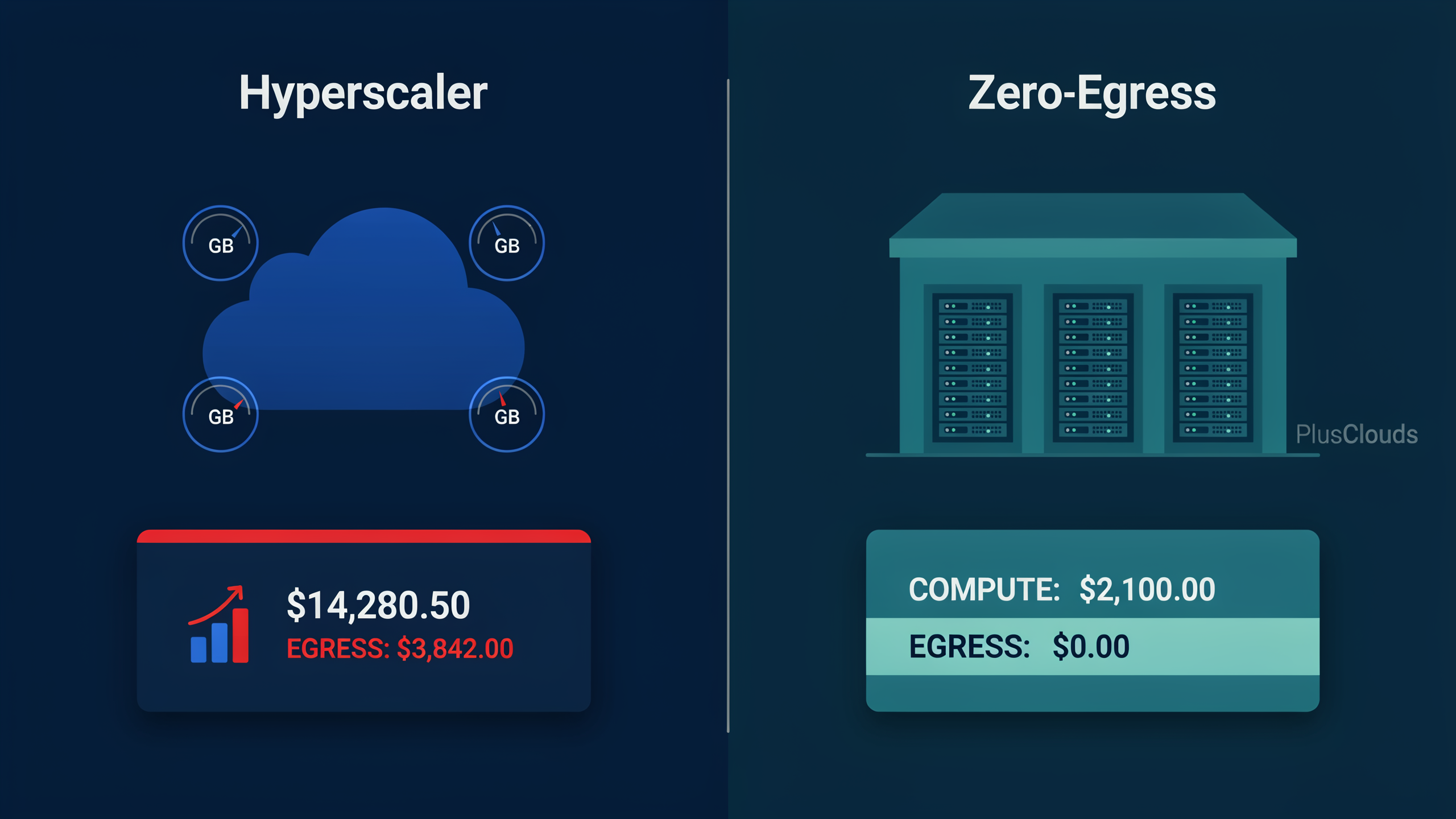
Let's put concrete numbers on a realistic mid-market profile.
Assume a SaaS company running 40 production VMs, moving 50 TB/month to the internet, with meaningful cross-AZ and NAT charges underneath:
| Cost component | Hyperscaler (monthly) | Zero-egress provider (monthly) |
|---|---|---|
| Internet egress (50 TB) | ~$4,500 | $0 |
| Cross-AZ traffic | ~$800 | $0 (flat private networking) |
| NAT Gateway processing | ~$600 | $0 (no per-GB NAT) |
| Compute (40 VMs) | ~$6,000 | ~$6,500 (slightly higher unit price) |
| Total | ~$11,900 | ~$6,500 |
Even with conservative assumptions, the annualized difference is north of $60,000, and the egress line grows with your business while the compute line grows only with your actual capacity needs. Add the eliminated FinOps overhead of monitoring, alerting on, and explaining networking charges, and the case gets stronger still.
This is the same logic driving the broader cloud repatriation movement. Our playbook on moving workloads from hyperscalers to bare metal covers the cost-and-performance analysis for teams making similar switches.
How PlusClouds' Five Network Types and Zero Egress Fees Change the Math
The general argument above only matters if a concrete provider actually delivers it. Here is how the pieces fit at PlusClouds.
Cloud Servers run Linux and Windows on AMD EPYC processors with NVMe storage, deploy in about 60 seconds, carry a 99.98% uptime SLA, and, critically, charge zero egress fees. The 50 TB in our example above costs nothing to move. You can explore the specs at Cloud Servers by PlusClouds.
Networking & Load Balancers give you five network types from a single control plane: public, private, VPN, management, and DMZ, plus load balancers you can deploy without ticketing a human. This matters for the audit findings from Step 1. Because internal traffic across private networks is not metered per GB the way hyperscaler cross-AZ traffic is, the architectural fixes in Step 2 become free rather than merely cheaper. If you want the design pattern, our guide to segmenting public, private, VPN, DMZ, and management zones maps directly onto these five network types.
Datacenter infrastructure backs all of this with Tier 3 facilities, N+1 redundancy, and a 40 Gbps backbone, so zero-egress does not mean zero-throughput. Bandwidth capacity is provisioned for real workloads, not throttled as a cost-control mechanism.
The practical consequence: workloads that were economically irrational on a hyperscaler, large-file delivery, data export APIs, media serving, frequent backup egress for offsite copies, become ordinary workloads with ordinary costs.
Migration Checklist: Moving Egress-Heavy Workloads Without Downtime
If the numbers above describe your bill, here is a battle-tested sequence for making the switch without a maintenance window your customers notice.
1. Rank workloads by egress intensity. Start with the services from your Step 1 audit that have the highest bytes-per-compute ratio. Migrating your egress-heavy data pipeline first delivers savings fastest and funds the rest of the project politically.
2. Stand up a parallel environment. Deploy the workload on the new infrastructure and run it in shadow mode, receiving mirrored traffic or synthetic load, for one to two weeks. Validate performance, latency from your users' regions, and cost projections against reality.
3. Migrate data first, services second. Use the provider's ingress (which is free everywhere) to bulk-copy datasets ahead of the cutover. Then run incremental sync until the delta is minutes, not hours.
4. Cut over with DNS or load balancer weighting. Shift traffic gradually, 10%, 50%, 100%, while monitoring both environments. Because egress on the old provider is what you are fleeing, keep the cutover window short: every day of dual-running means paying hyperscaler egress for traffic you have already moved.
5. Repoint internal integrations. Webhooks, partner APIs, and scheduled exports often have hardcoded endpoints. Grep your codebase and your partners' integration docs before you think you are done.
6. Decompress and decommission deliberately. Keep the old environment warm for one billing cycle as a rollback path, then shut it down. Do not let "just in case" environments become permanent egress generators.
7. Re-audit after 30 days. Re-run the flow analysis from Step 1 in the new environment. Confirm the networking line items you expected to be zero actually are, and capture the before-and-after numbers for your next budget review.
One caution for teams with strict regulatory constraints: if data residency or sector-specific controls apply to you, factor them into the migration plan early. Our checklist for NIS2 and DORA cloud infrastructure compliance covers the documentation and control requirements European teams should complete alongside any infrastructure move.
The Bottom Line
Egress fees are not a bug you can patch. They are a pricing model, and the only complete fix is choosing infrastructure that does not charge them. Audit your traffic flows to understand the leak, apply the architectural fixes that reduce internal multipliers, and then make the structural switch for the line items no amount of engineering can eliminate. For data-heavy workloads, the math is not close, and it gets less close every quarter your business grows.
If you are ready to see what your bill looks like without the networking tax, start with PlusClouds Cloud Servers. Deploy a test workload in 60 seconds, run your real traffic against it, and compare the invoice. The zero-egress line item tends to speak for itself.
Frequently Asked Questions
Are cloud egress fees going away in 2026? No. Hyperscalers have shown no sign of eliminating per-GB egress pricing, and egress remains one of the fastest-growing line items on enterprise bills. Zero-egress pricing exists, but it is a feature of specific providers, not an industry-wide change.
How do I calculate my current egress cost? Multiply your monthly internet-out transfer volume (from your provider's billing console or flow logs) by your per-GB rate, then add cross-AZ, cross-region, and NAT processing charges. Most teams find the non-internet categories add 20-40% on top of the headline egress number.
Is zero-egress cloud cheaper even if equivalent compute is priced slightly higher per vCPU? For data-heavy workloads, almost always yes. The crossover depends on your bytes-per-compute ratio; if you move tens of terabytes per month, the eliminated egress fees outweigh a modest per-unit compute premium many times over.
Will switching providers cause downtime? Not if you follow a parallel-run migration: replicate data ahead of cutover, shift traffic gradually with DNS or load balancer weighting, and keep the old environment available for one billing cycle as a rollback path.